 CmdMD
CmdMD
CmdMD
CmdMD
CmdMD is a review-first Markdown editor and Obsidian vault router for macOS. It opens straight into a beautiful rendered preview — editing is one keystroke away — then files any note into the right vault folder with templates and routing rules. CmdMD는 macOS용 리뷰 우선(review-first) 마크다운 에디터이자 Obsidian 볼트 라우터입니다. 열면 곧바로 렌더된 프리뷰로 시작하고 — 편집은 단축키 하나 — 어떤 노트든 템플릿과 라우팅 규칙으로 알맞은 볼트 폴더에 보냅니다.
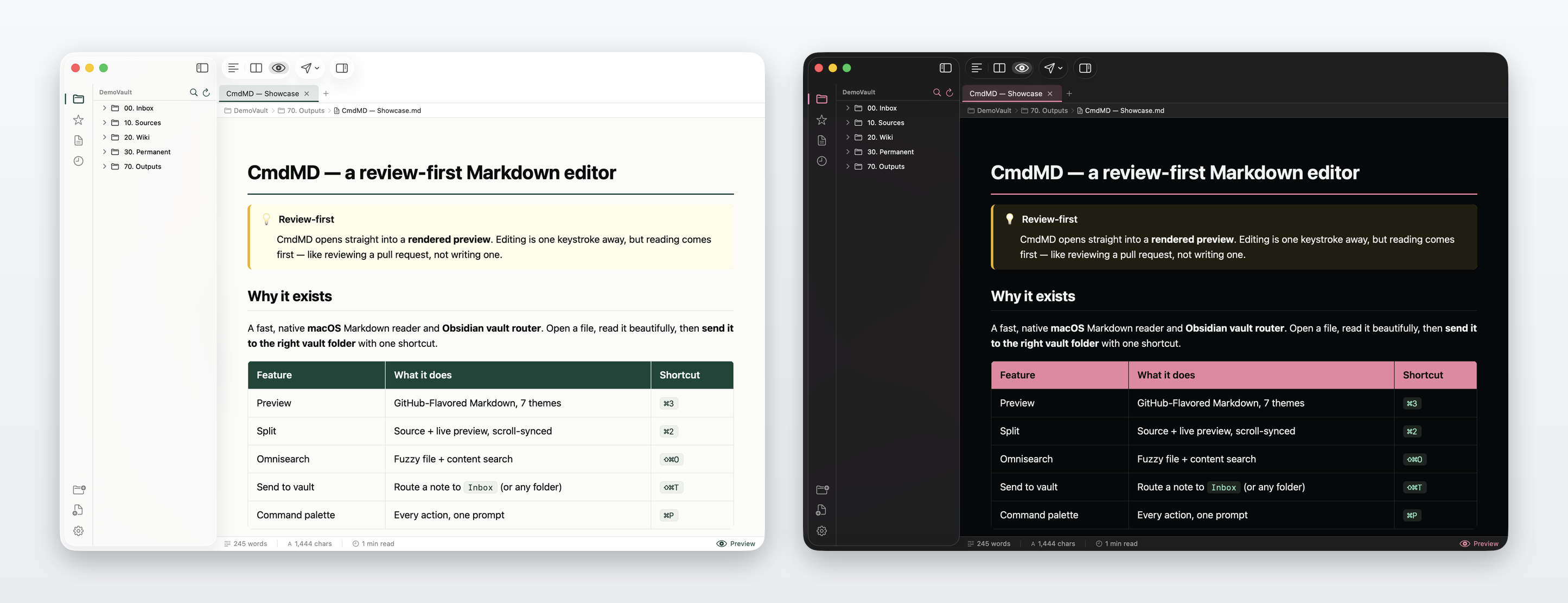
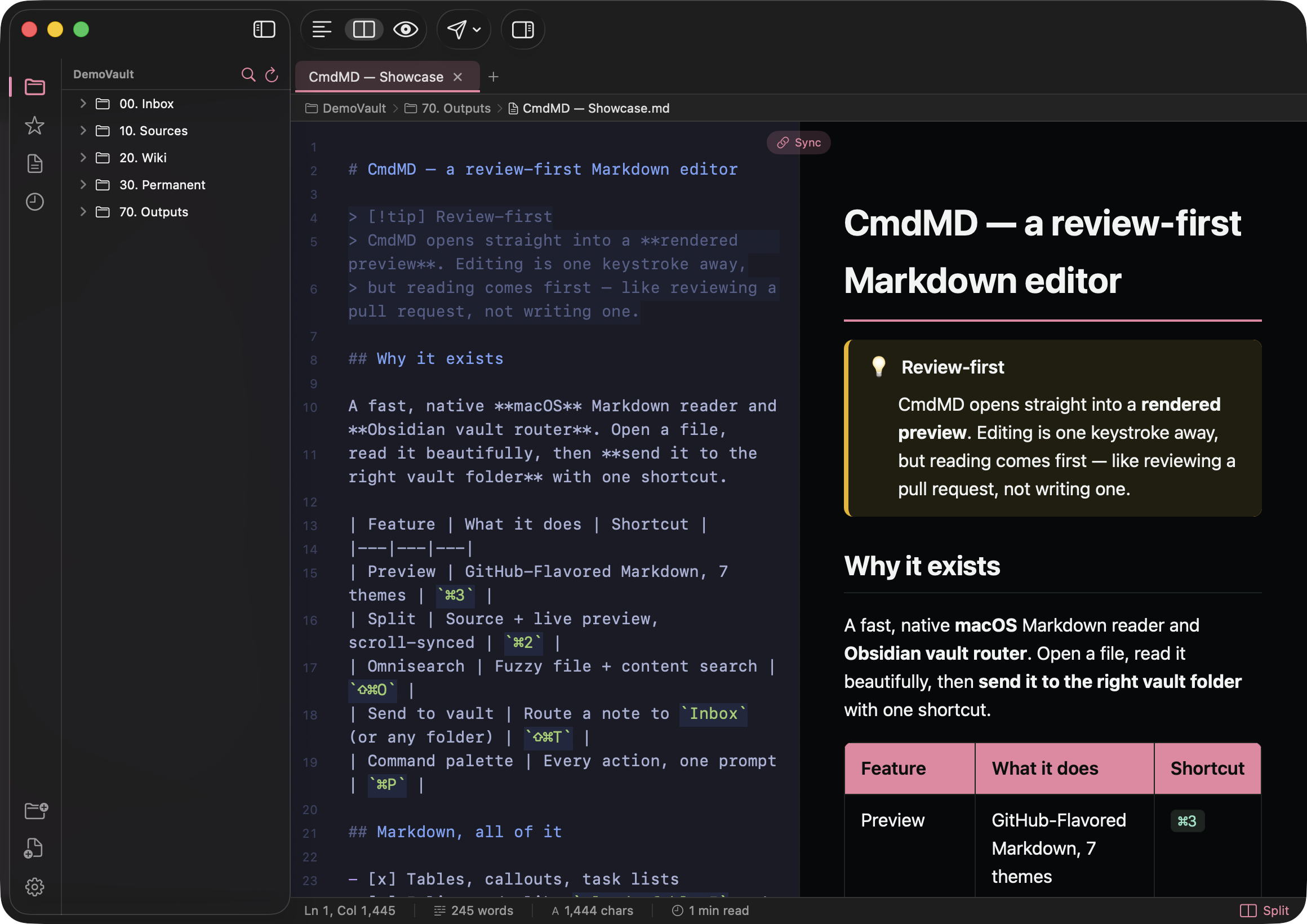
Reading comes first; editing is one keystroke away. ⌘1 ⌘2 ⌘3 flip between Source, Split, and Preview — so you decide when a note becomes a draft.
It speaks Obsidian-flavored Markdown — [[wiki-links]], #tags, > [!callouts], ==highlights== — and doubles as a router: capture or open a note, then file it into the correct vault folder with templates and rules.
읽기가 먼저고, 편집은 단축키 하나 거리입니다. ⌘1 ⌘2 ⌘3 로 소스 · 분할 · 프리뷰를 오가며, 노트를 언제 초안으로 바꿀지 직접 정합니다.
Obsidian 확장 문법 — [[wiki-links]], #tags, > [!callouts], ==highlights== — 을 그대로 이해하고, 라우터로도 동작합니다: 노트를 포착하거나 열어, 템플릿과 규칙으로 알맞은 볼트 폴더에 보냅니다.
Full GitHub-Flavored + Obsidian Markdown, diagrams and math, a vault router, fuzzy search, and a command palette — all native, all fast. 완전한 GitHub-Flavored + Obsidian 마크다운, 다이어그램과 수식, 볼트 라우터, 퍼지 검색, 커맨드 팔레트 — 전부 네이티브, 전부 빠르게.
Launches into a rendered preview. ⌘1/⌘2/⌘3 flips Source / Split / Preview, with scroll-synced split.
렌더된 프리뷰로 시작. ⌘1/⌘2/⌘3 로 소스 / 분할 / 프리뷰 전환, 분할 스크롤 동기화.
GitHub-Flavored tables & task lists, plus [[wiki-links]], #tags, [!callouts] and ==highlights==.
GFM 테이블·태스크 리스트에 더해 [[wiki-links]], #tags, [!callouts], ==highlights==.
Mermaid 11 diagrams and KaTeX math ($…$, $$…$$) with \ce{} chemistry, rendered live.
Mermaid 11 다이어그램과 KaTeX 수식($…$, $$…$$), \ce{} 화학식까지 실시간 렌더.
Auto-detects installed vaults. Send notes to any folder with templates and routing rules — by tag, filename, or content.
설치된 볼트를 자동 감지. 템플릿과 라우팅 규칙(태그·파일명·내용)으로 어떤 폴더로든 노트를 보냅니다.
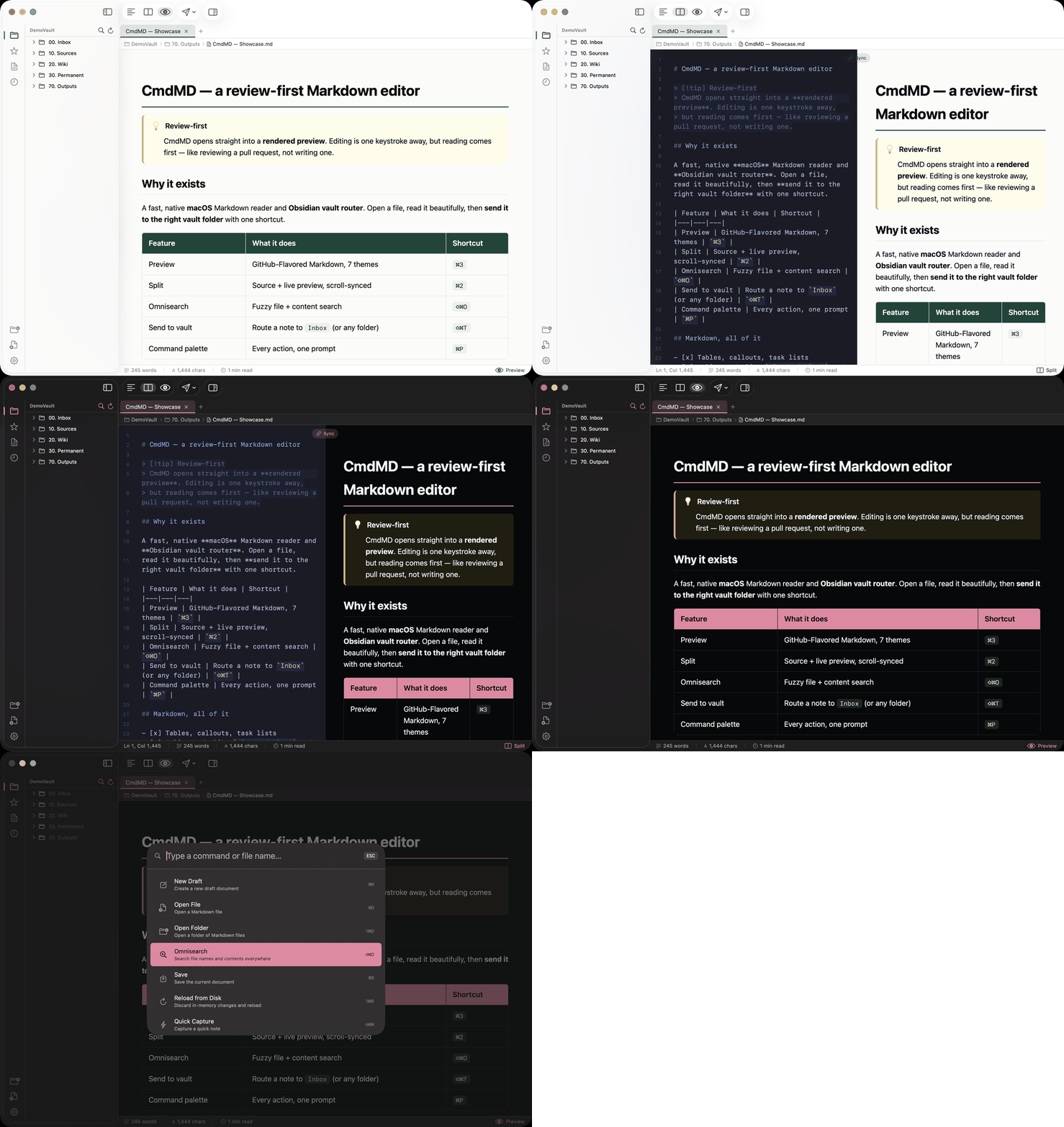
Fuzzy file-name + debounced content search (⇧⌘O), and a command palette (⌘K) for every action.
퍼지 파일명 + 디바운스 내용 검색(⇧⌘O), 모든 동작을 위한 커맨드 팔레트(⌘K).
Tabs, local drafts, Quick Capture (menu bar + global hotkey), a frontmatter inspector, slug-accurate TOC, and HTML / PDF export.
탭, 로컬 드래프트, 퀵 캡처(메뉴바 + 전역 단축키), frontmatter 인스펙터, 슬러그 정확 TOC, HTML / PDF 내보내기.
No setup ritual. Point CmdMD at a folder or an Obsidian vault and it just reads — then routing turns reading into filing. 거창한 설정 없이, 폴더나 Obsidian 볼트를 가리키면 곧바로 읽기 시작합니다 — 그리고 라우팅이 읽기를 정리로 바꿉니다.
CMDS Green in light, CMDS Pink in dark. Real captures of CmdMD — preview and source-plus-preview split, in both themes. 라이트는 CMDS 그린, 다크는 CMDS 핑크. 실제 CmdMD 화면 — 두 테마의 프리뷰와 소스+프리뷰 분할.
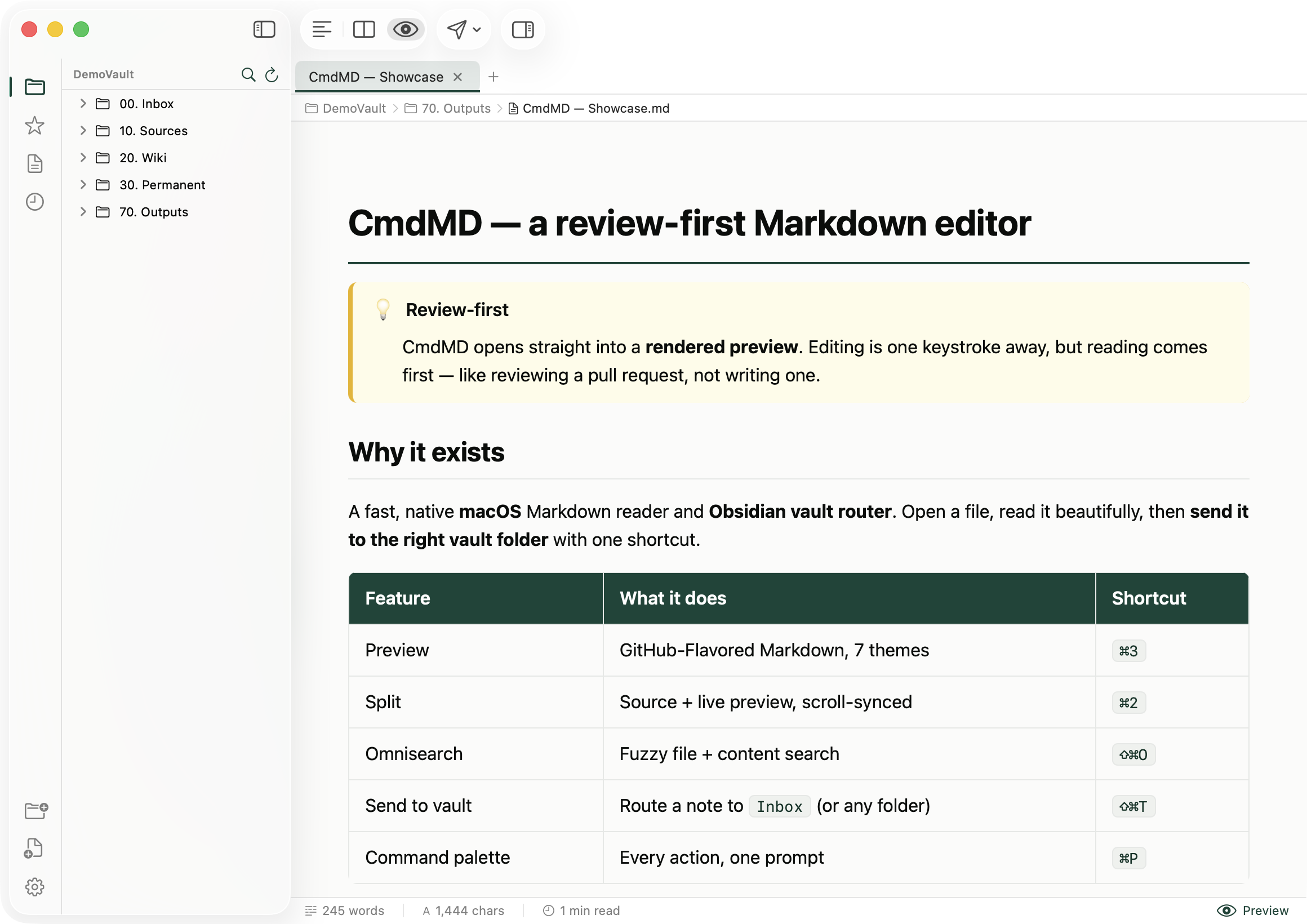
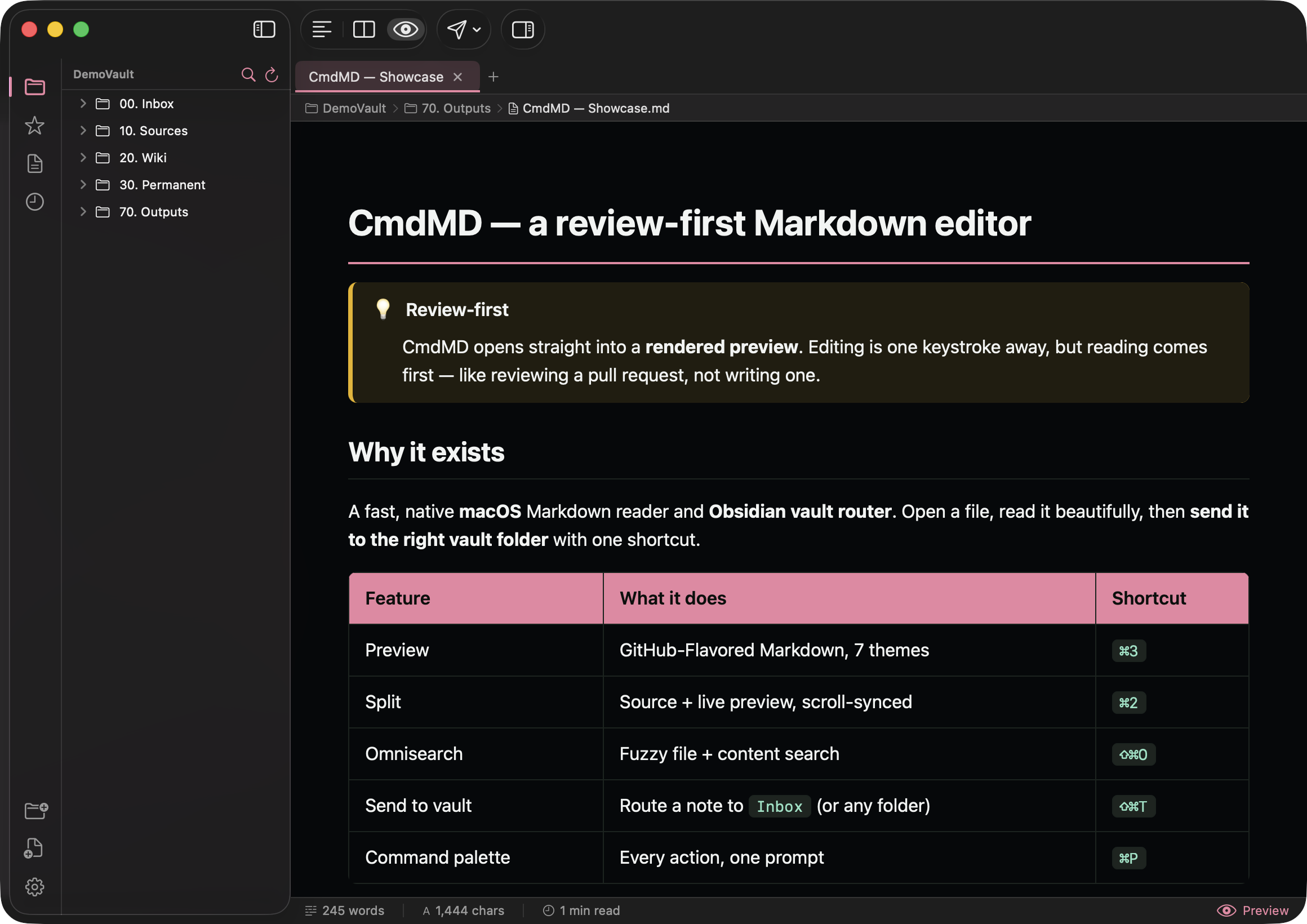
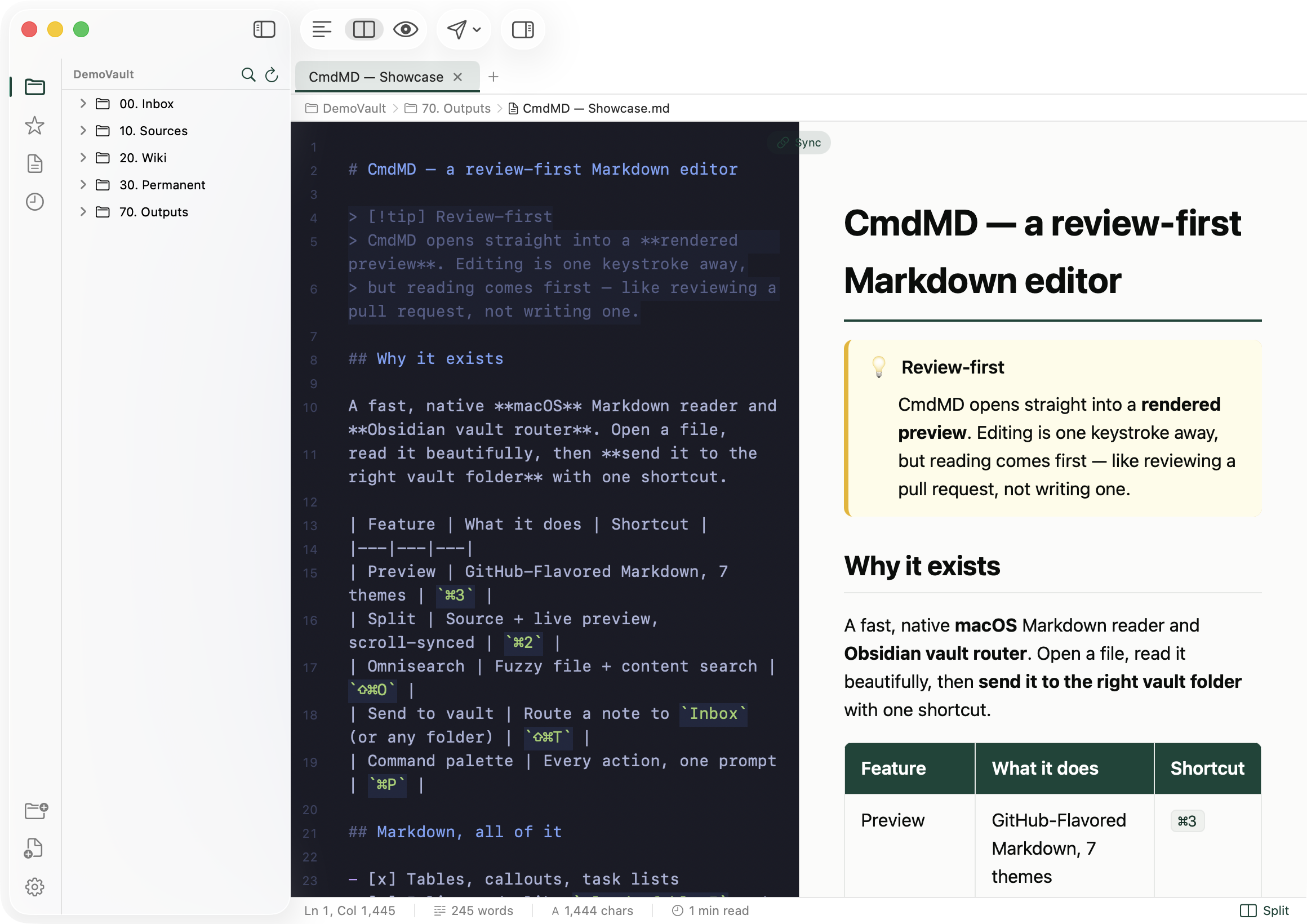
Defaults mirror common Obsidian bindings — and every action is remappable in Settings → Shortcuts. 기본값은 익숙한 Obsidian 바인딩을 따르고 — 모든 동작은 Settings → Shortcuts 에서 재지정할 수 있습니다.
Grab the .dmg from Releases, drag CmdMD.app onto the Applications shortcut. It's ad-hoc signed, so on first launch right-click → Open, or clear the quarantine flag below.
Releases에서 .dmg를 받아 CmdMD.app을 Applications 단축아이콘에 드래그하세요. ad-hoc 서명이라 첫 실행 시 우클릭 → 열기 하거나, 아래 명령으로 격리 플래그를 해제합니다.
Prefer to build it yourself? swift build -c release on macOS 14+ with Xcode 15. Full instructions are in the README.
직접 빌드하고 싶다면? macOS 14+ · Xcode 15 환경에서 swift build -c release. 자세한 방법은 README에 있습니다.
A native macOS Markdown reader that files itself away. Free and open source. 스스로 정리되는 네이티브 macOS 마크다운 리더. 무료, 오픈소스.


Command your space. 당신의 공간을 지휘하세요.